Mac
Intel macOS application · ZIP archive
Download for Mac Mac installation instructions & user manual (PDF)Anna, Illinois
My software
Sometimes a pencil and a calculator are all I need. Other times I find myself doing the same arithmetic over and over, and that's usually when I start thinking about putting it on the computer.
The Model Explorer lets you compare the estimated forces wind puts on different animals. The other program, 3 MPH, is for field calculations, planning and farm records.
Available for Mac (Intel edition) and Windows (64-bit)
While I was working on Comparative Livestock Aerodynamics, I wanted an easier way to see how much of an animal's body the wind encounters from different directions. It's easy enough to picture a cow standing broadside to the wind, but turn that same cow a bit and the area changes. I wanted to be able to put numbers to that.
I've included eleven animal models. You can turn them around, change their size, vary the wind and compare them on the same scale. I particularly enjoy looking at the graphs of projected area as the wind direction changes. The differences between a horse, a sheep and a goat are quite interesting when you can see them together.
The force calculations use assumed drag coefficients because I don't have measured drag values for these animals. You can change those assumptions. The program doesn't simulate the airflow, and its estimates aren't a way to decide whether an animal's safe in a storm.
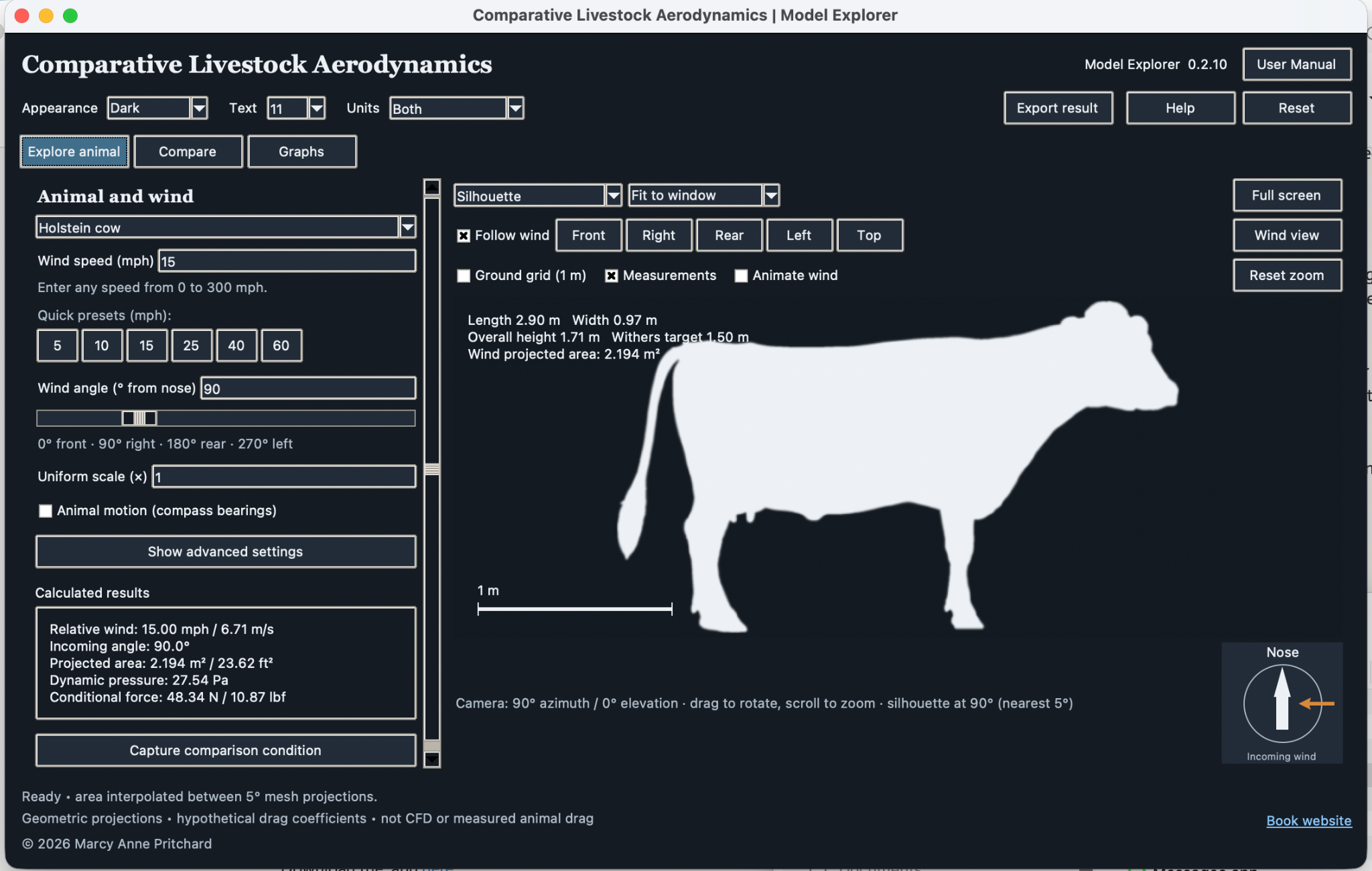
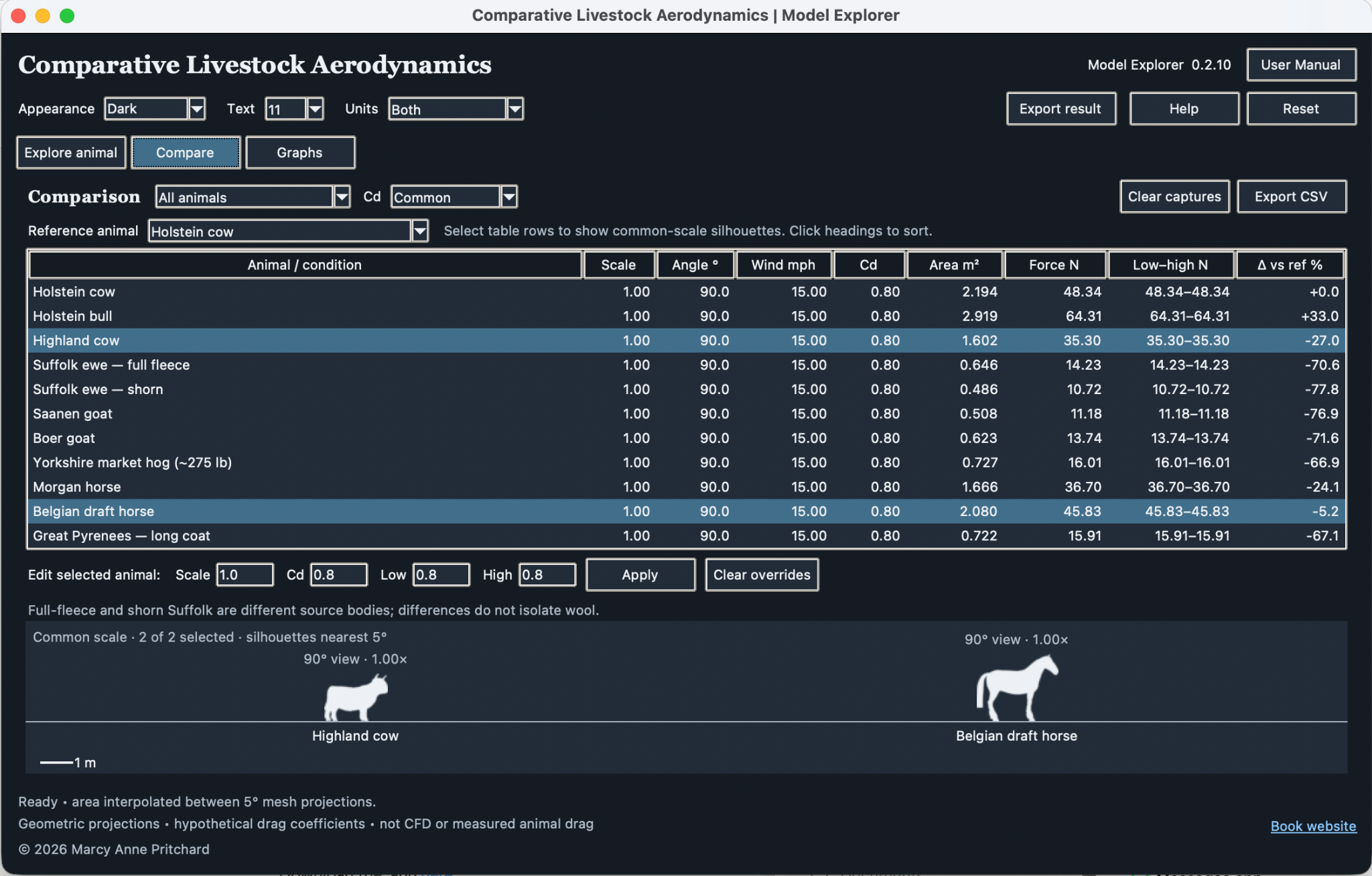
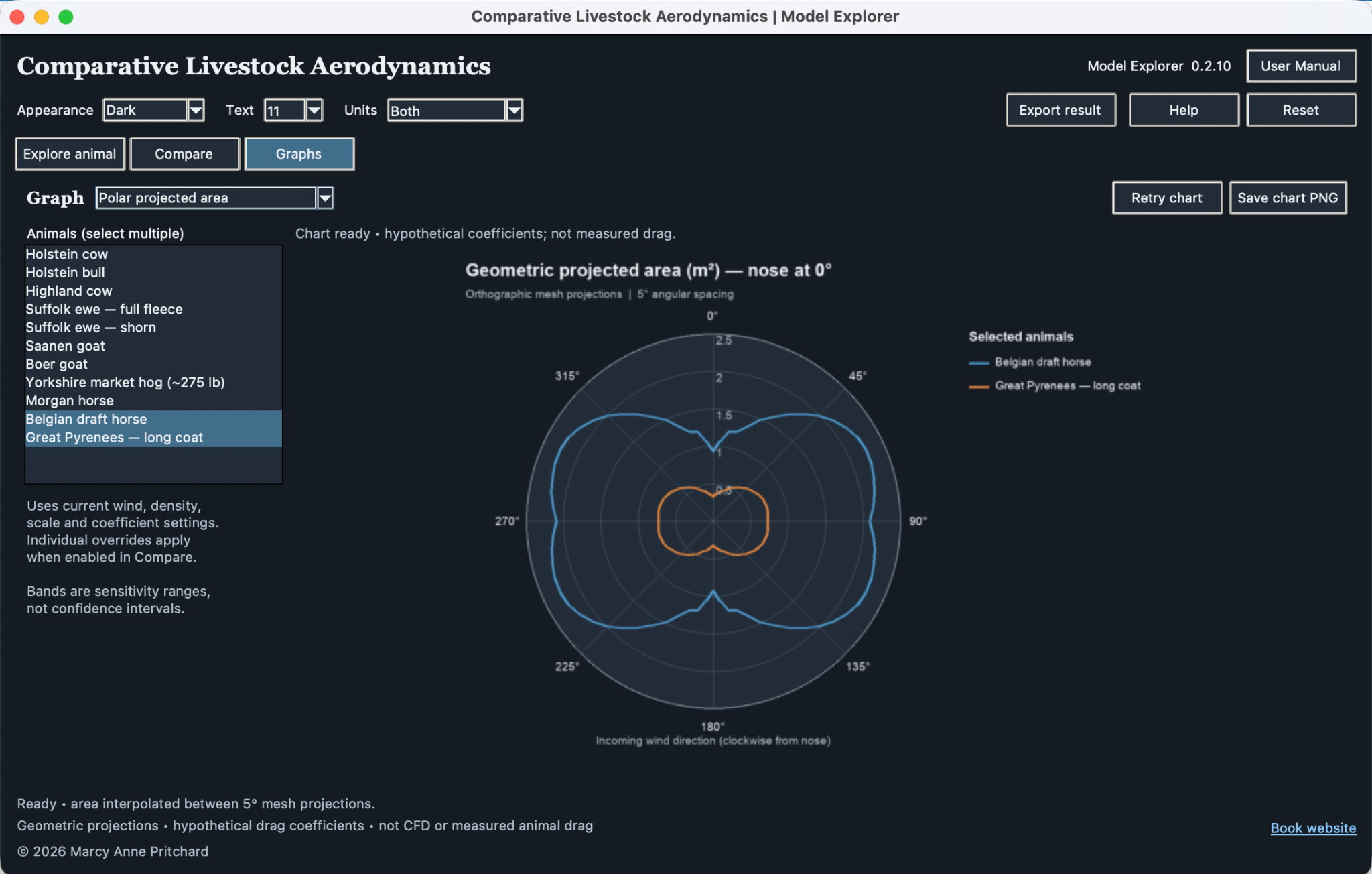
There are Mac and Windows versions. Once you've installed the program, you won't need Python or an internet connection to run it. I've included links to the instructions below.
Intel macOS application · ZIP archive
Download for Mac Mac installation instructions & user manual (PDF)64-bit Windows · EXE installer
Download for Windows Windows installation instructions & user manual (PDF)If you're using the program at an educational institution and would like the Python source, you can request it through the book's website with a valid .edu address.
In development · Mac and Windows · Planned release December 2026
When Emma and I were researching 3 MPH, we started with spreadsheets. I wanted to keep those calculations alongside our field records, rather than having to remember which spreadsheet went with which field.
Suppose I've got a field of beans ready and rain in the forecast. I want to know how long it might take to finish, how much fuel to allow for, and whether the trucks can keep up with the combine. I also want to be able to come back after harvest and see how close my estimates were.
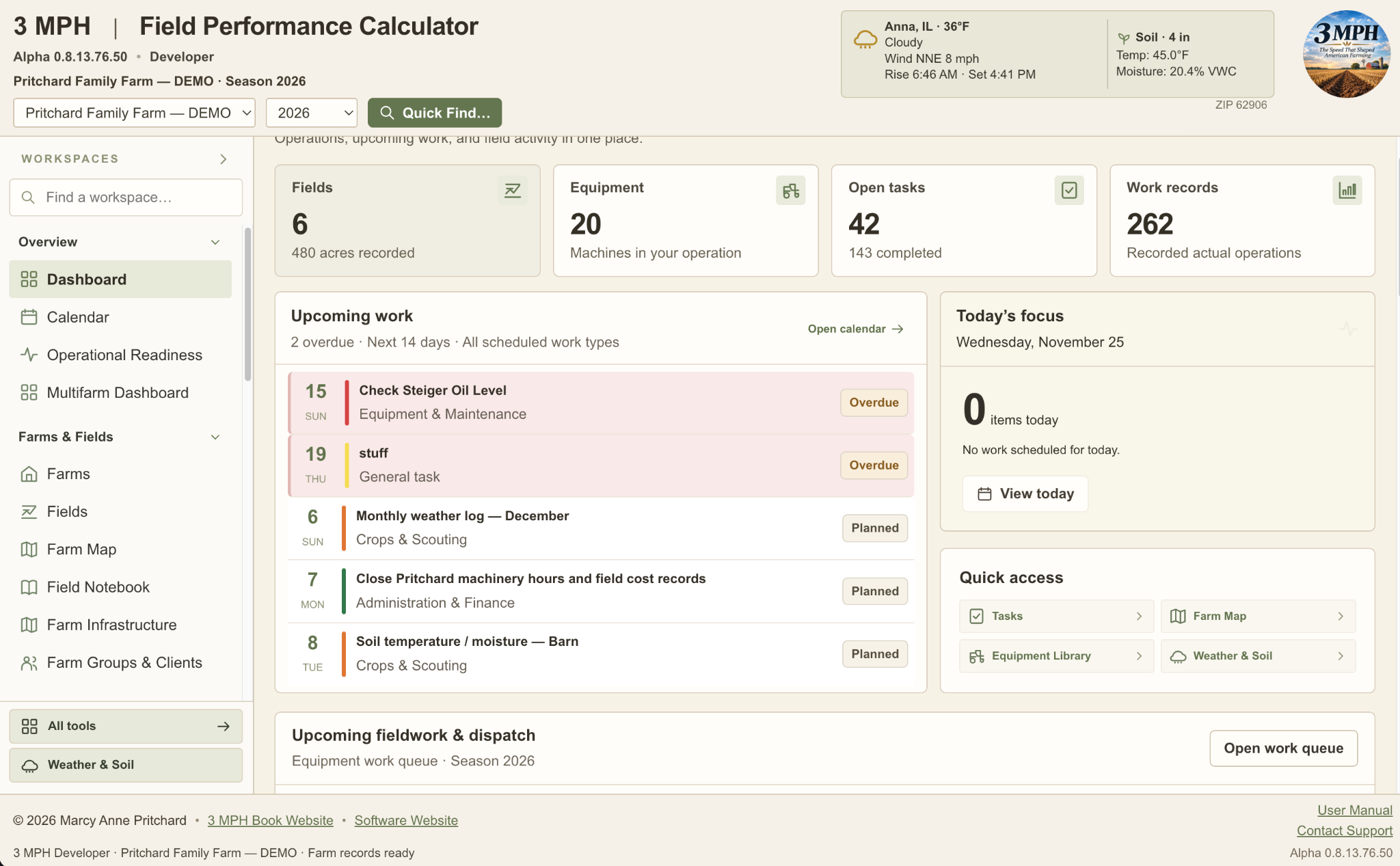
3 MPH brings field and crop records, machinery, maintenance, seasonal plans, costs, harvest hauling and performance reports into one program. I've included two demonstration farms based on our operation and Emma's, so you can try it without having to enter your own records first.
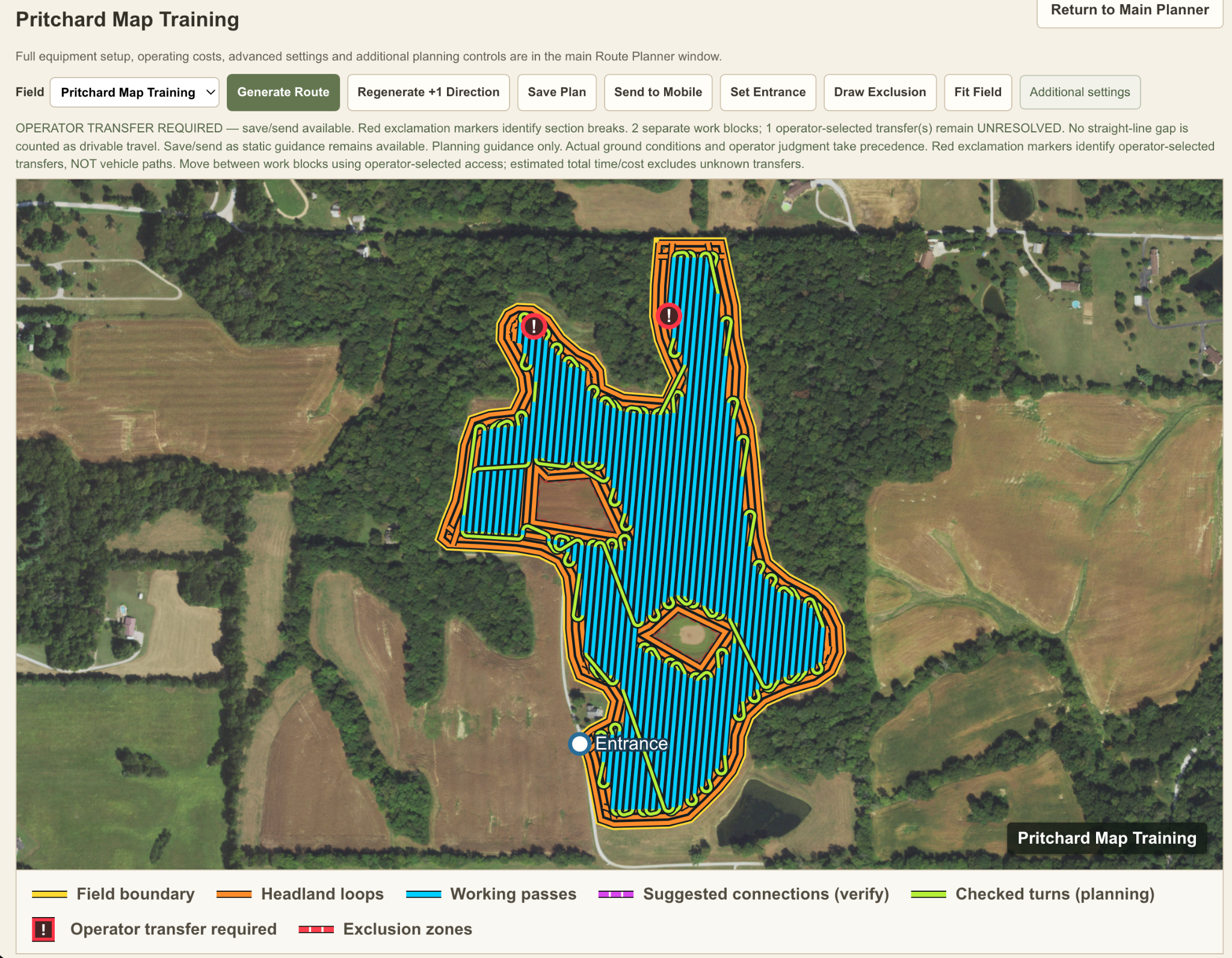
Not all our ground is laid out in nice rectangles. I like being able to look at a field on a map, take the width of the equipment into account and see how a set of passes might fit around the edges and the places we need to avoid. I'm also working on keeping those plans with the field records so they can be useful at planting and again at harvest.
The field companion is being developed for iPhone and iPad so I can take a plan out with me, even where there's no reliable signal. The route planner is for planning, not steering the tractor. I'll still decide how to make a turn or move between sections when I'm out there looking at the ground.
I'm still working on the program, and the screens here are from the alpha version. I'll put release information, licensing and trial details on the 3 MPH software website as they're ready.
If you're trying one of my programs and have a question, or you've run into something that doesn't seem right, send me a note. I'd be interested to hear what you're working on.